New in 0.4.8: macOS on real hardware, several adapters at once from the command line →

A KVM for the machine that has nothing on it yet.

See its screen. Type at it. Install it. Drive any PC from the first BIOS splash to a finished desktop, right from your own computer, with a ten-dollar board and a cheap HDMI capture card.

Windows · Linux · macOS · Open source, MIT licensed
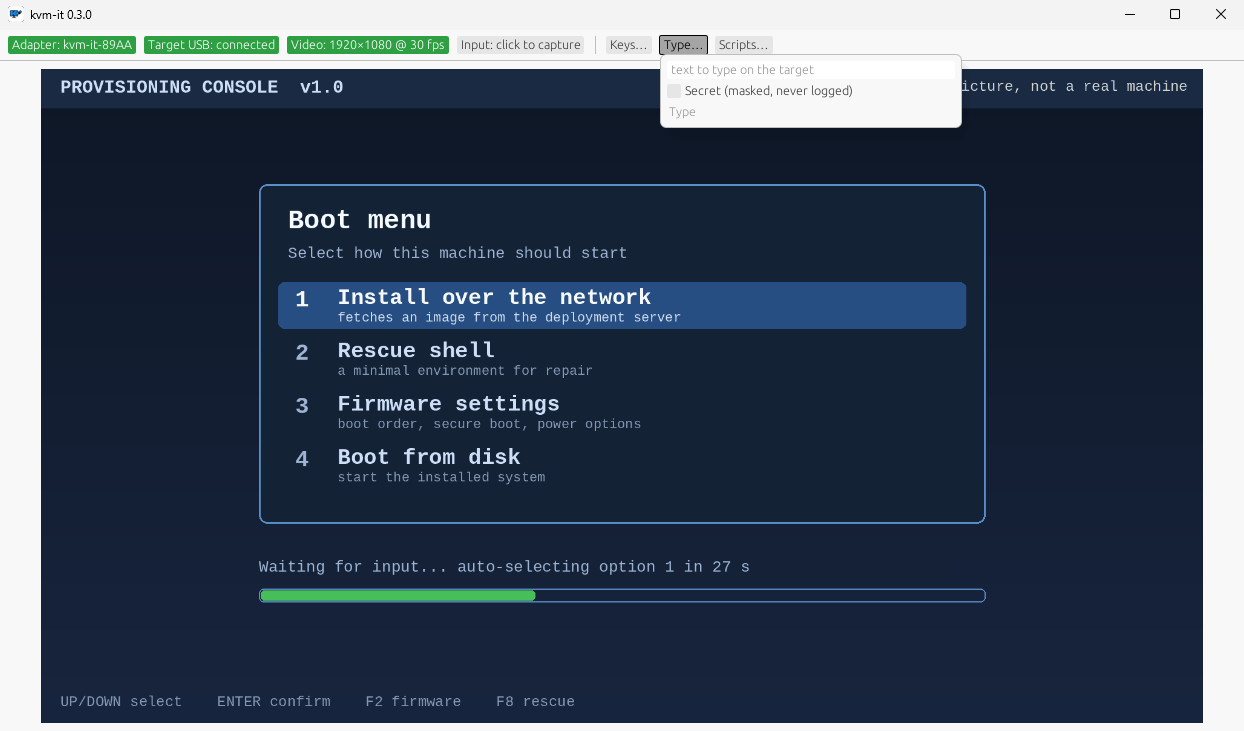
The kvm-it window showing a live picture of a target machine's boot menu, with Adapter, Target USB and Video status chips along the top
The real app, driving a demo target.
0software on the target machine
BIOS → desktopworks before any OS is installed
~$10for the board that does the typing

Everything a headless machine needs from you

Imaging a new PC, rescuing one that won't boot, or clicking through yet another Windows setup: do it from your desk, in one window.

πŸ–₯️

See it and drive it

Live video of the target in a window. Click it and your keyboard and mouse belong to the target. Ctrl+Alt+Esc gives them back.

⚑

Works from power-on

BIOS and UEFI menus, OS installers, login screens, recovery shells. To the target it is just a USB keyboard and mouse, so nothing needs installing.

⌨️

The keys your PC keeps

Ctrl+Alt+Del, the Windows key, Alt+Tab: one click each. On Windows and Mac, capture sends them to the target live instead of to your own desktop.

πŸ”

Replay the boring parts

Script Windows setup, an installer or a BIOS tour once and replay it, with steps that wait for the right screen. Preview and dry-run first.

🌐

Boot from the network

Turn on the adapter's built-in, read-only network-boot drive with one click, and install a bare UEFI machine over the network. Off until you want it.

⏺️

Record the session

Save what happened as a GIF to share or a WebM with sound, for docs, bug reports and handovers.
Up and running in three steps

No toolchains, no drivers, no terminal. If you can double-click an installer, you can do this.

Get two parts

An ESP32-S3 board with two USB-C ports (about ten dollars) and any cheap USB HDMI capture card.

Install the app

Download it below. The board's firmware is inside the app: plug the board in and flash it with one click.

Plug in and drive

Board into the target's USB, capture card onto its HDMI. Pair once over Bluetooth, and the target is on your screen.

Read the illustrated guide →

Secure by design, not as an afterthought

A box that can type into your machines should be hard to misuse. kvm-it is built that way.

  • Pairing needs your hands on the hardware. The adapter only accepts a new controller for a few minutes after you press its button.
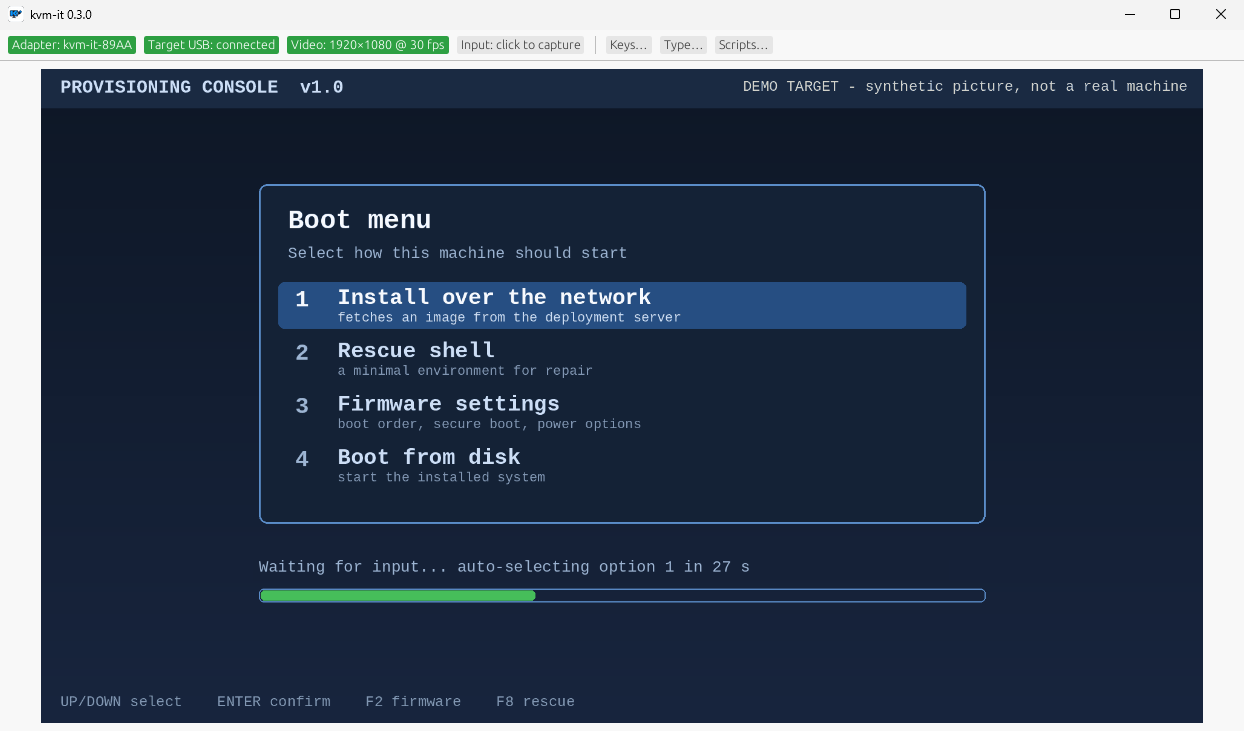
  • Passwords are masked, never logged, never saved.
  • Nothing is installed on the target, and the network-boot drive is read-only: the target cannot change it.
  • Signed Windows releases, and every download ships with a checksum.

Read the security model →

The Type popup with the Secret option for masked passwords

Download kvm-it

Free and open source. Pick your computer: the one you sit at, not the one you are fixing.

Your system

Windows

Windows 11, 64-bit, with Bluetooth LE
  • Signed installer, adds kvm-it to the Start menu
  • Captures Win, Alt+Tab and friends for the target
Download for Windows
Your system

Linux

x86-64, Debian 12 / Ubuntu 22.04 or newer, BlueZ
  • One AppImage: make it executable and run
  • Uses the Bluetooth and video your distro already has
Download AppImage
Your system

macOS

Apple silicon (M1 or newer)
  • Drag to Applications; macOS asks for Bluetooth and Camera access
  • Cmd+Tab and Cmd+Space go to the target while captured
Download for Mac
First launch on a Mac: the app is not notarized yet, so the first time macOS blocks it: open it from System Settings › Privacy & Security › Open Anyway.

Version 0.4.8, released October 9, 2026 · Release notes and checksums · All releases · Build from source

Built in the open

You should be able to check a tool that types into your machines. Here is how you can.

Open source

MIT licensed: app, firmware and protocol. Read the code.

Honest labels

Every feature says how it was checked: on real hardware, in a VM, or by tests. See the table.

Adversarially reviewed

Changes are attacked by an independent second reviewer before they ship. Every finding is public.

Documented wire

The Bluetooth protocol is a published spec with shared test vectors. Read it.

Stop walking to the server closet.

Two cheap parts and a free app put any machine's screen and keyboard on your desk.