kvm-it is a tool a technician uses eight times in a row, hands busy, in front of a machine that might be at a BIOS screen. The UX bar is “never make me think about the tool”.
- Zero-step reconnect. Moving the cables to the next machine is the whole workflow. BLE, capture and (later) trust all re-establish themselves; the UI shows state, it does not ask for action.
- State is always visible, never ambiguous. One row of colour-coded chips: BLE link, target USB mounted, capture-card signal, input capture on/off. Green is working, amber is in progress, red is broken, grey is idle. Capture-active is unmistakable (red frame + a chip naming the release chord).
- Safe by default. Releasing capture, losing focus, reconnecting or quitting sends release-all. The release chord is never forwarded to the target.
- Secrets are first-class. Masked, never logged, per-run by default (see security.md). Typing a secret shows progress, never the text.
- Anything repeatable is one click (macro buttons, scripts) and anything running is interruptible in one keypress, leaving the target with nothing held down.
- Honest feedback. If a command was dropped, the BLE link is degraded, or a script step could not be confirmed, say so plainly — a KVM that silently mistypes a password is worse than none.
- Fast to first pixel. Last-used capture device and mode are remembered; the preview appears before the user has found the mouse.
Window layout (0.2.0)
The picture is the window. A single top bar holds everything else:
- Adapter, Target USB, Video, Input: status chips filled with their health colour. Adapter, Video and Input open the controls they describe (scan/pair/connect, device and mode, capture), and the Input chip starts capture when clicked. Target USB is an indicator only: a coloured label, not a button (screen readers and UI Automation still read it by name, “Target USB: …”). A control that cannot be used right now is greyed out and says why on hover (no adapter, a script running, text the layout cannot type).
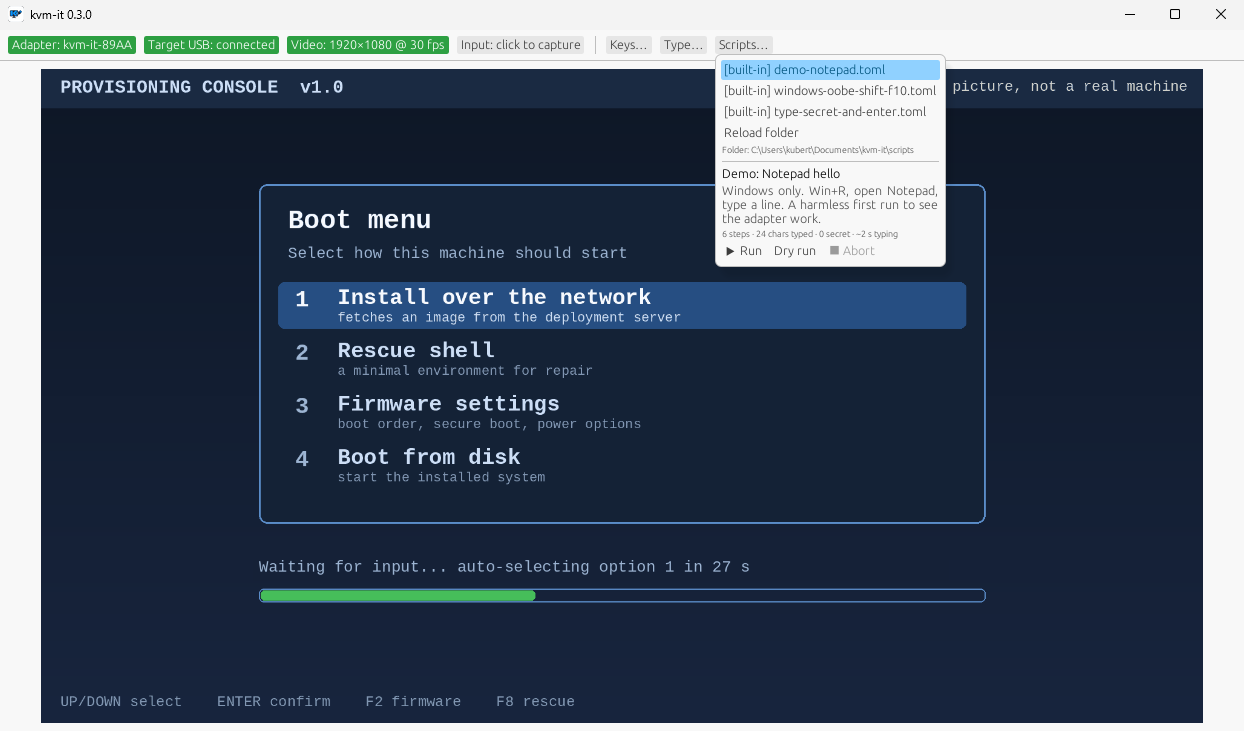
- Keys, Type, Scripts: buttons that open popups (chords the OS would swallow; typing a string, masked if secret; the script library, variables, preview, run and dry run). Popups stay open until you click outside.
- While input is captured only the Input chip is live: every key belongs to the target. The mouse wheel is forwarded in notches: pixel deltas (touchpads) are accumulated and sent as whole notches, line deltas as they are.
- Record… opens the recording popup (GIF, or WebM with optional sound; off by default, with a no-redaction warning). While recording it becomes a red REC chip, always live, one click to stop.
- Theme cycles auto (follows the system), light, dark; the choice is remembered. Status colours are chosen per mode and held to WCAG AA contrast (4.5:1) by tests.
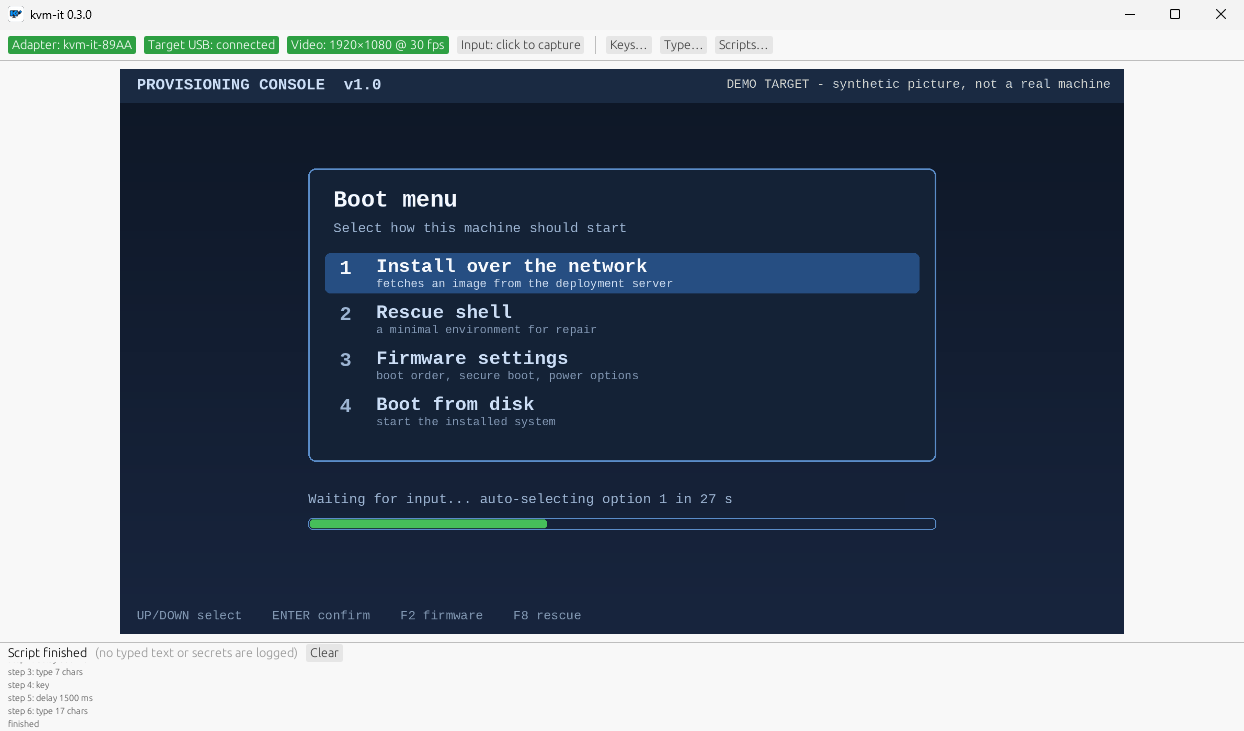
- A running script’s log is a strip along the bottom, with Abort, and outlives any popup. Its header reports the outcome, colour-coded: Finished, Dry run finished, Aborted: reason or Failed: reason. A dry run sends nothing, so it works without an adapter.
- Notices (amber line under the bar) can be dismissed, clear themselves when their cause goes away (e.g. video is showing again) or after 15 s, and never hide the adapter-link error, which has its own line. Type keeps your text until the run has actually started, and flags characters the US layout cannot type before you click.
- The chips and buttons are exposed to screen readers and UI Automation by name.
The script library, with a script’s preview, variables and the Run / Dry run / Abort buttons; and the run log strip that stays along the bottom after a (dry) run:
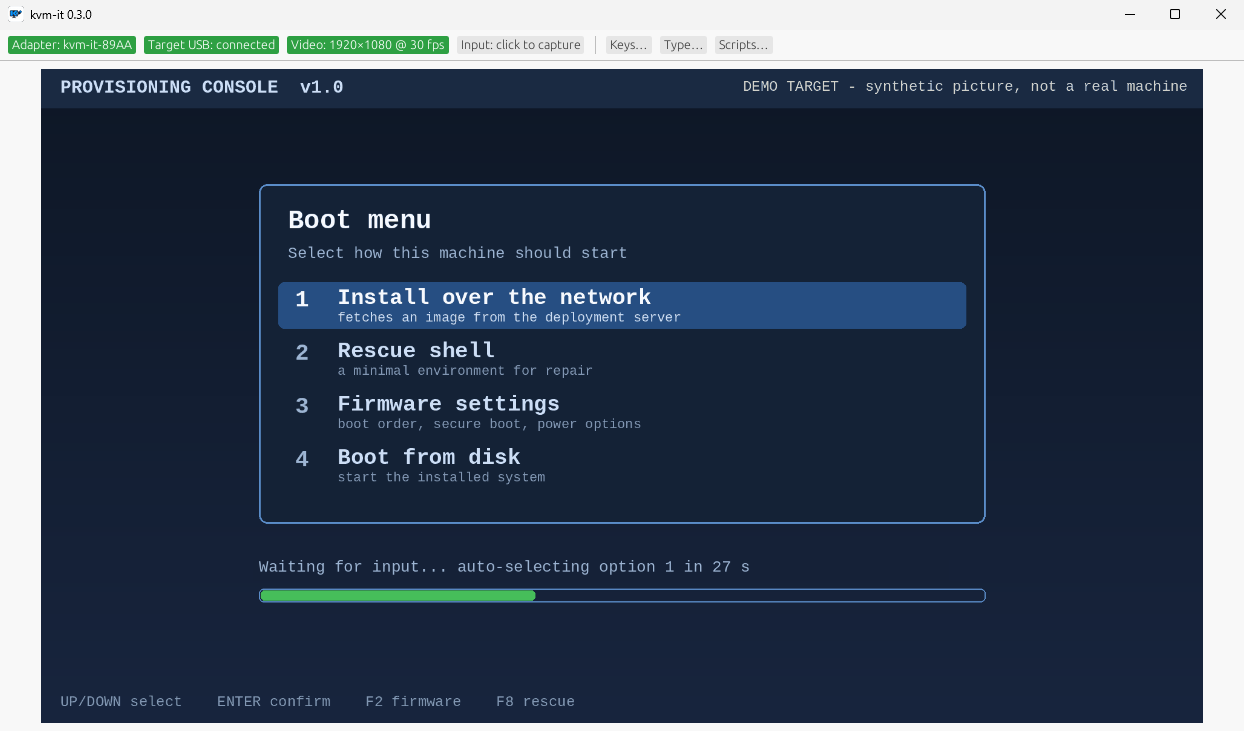
The pictures on this site are of the real app (0.3.0, Windows 11) with a synthetic demo target in place of a real machine’s screen, so nothing private is ever on show.
Scripting and replay
Goal (from the product owner): bundle replayable scripts, DuckyScript-style, to drive setup flows such as Windows OOBE, installers and BIOS settings.
Design decision
Chosen: a small, structured, declarative script format run by the desktop app (controller side), with a DuckyScript-compatible text importer, plus screen-aware wait steps. Alternatives rejected:
- Run scripts on the ESP32 (Rubber-Ducky style payload storage): needs firmware changes per feature, no video feedback, secrets would have to live in flash, and it cannot adapt to a slow machine. The firmware stays a dumb, auditable HID endpoint.
- A general scripting language (Lua/JS/Python) from day one: power we do not need yet and a much larger trust/sandbox problem. The step model below can grow into one later without breaking script files.
- Open-loop only (pure DELAY chains): this is how OOBE automation breaks — one slow screen and every later keystroke lands in the wrong place. Because the app already has the HDMI frames, scripts can wait on the screen.
Script file (native, TOML)
name = "Windows 11 OOBE — local account"
format = 1
description = "Region → keyboard → network → local account"

[vars]
wifi_ssid = { prompt = "Wi-Fi SSID" }
wifi_pass = { prompt = "Wi-Fi password", secret = true }   # asked at run time, never saved
user      = { default = "tech" }

[[steps]]
wait_for = { screen = "oobe-region.png", timeout = "90s", threshold = 0.9 }  # closed loop
[[steps]]
key = "ENTER"
[[steps]]
text = ""
[[steps]]
secret_text = ""
[[steps]]
chord = ["CTRL", "SHIFT", "F10"]
[[steps]]
delay = "1s"
[[steps]]
confirm = "Is the desktop showing? Continue?"   # human gate
Step kinds: text, secret_text, key, chord, delay, repeat, wait_for (screen match, or
“screen stopped changing for N s”, with timeout), confirm (human gate), comment. Variables via
``. No loops over arbitrary expressions, no shell, no file or network access from scripts.
DuckyScript import
kvm-it script import payload.txt converts the common subset (REM, STRING, STRINGLN, DELAY,
DEFAULT_DELAY, ENTER/TAB/arrows, GUI/CTRL/ALT/SHIFT combos, REPEAT) into the native format and
lists anything it could not translate rather than guessing. Layout-dependent characters go through the
selected keyboard layout abstraction, not the payload’s assumptions.
Run-time UX and safety
- Preview before run: shows step count, total typed characters (secrets counted, not shown), and any
textthat looks like a command. Scripts from files you did not write get an explicit “this will type commands into the target” confirmation — a script is remote code execution on the target by design. - Controls: run / pause / step / abort (the GUI today has run, dry run and abort). Abort (and any error) sends release-all. Esc aborts a running script from anywhere in the window, even mid-typing on the target, except while a text field has focus (there Esc just leaves the field, so editing a variable can never abort a run by accident; use the Abort button). Plain Esc only: Ctrl+Alt+Esc stays the capture-release chord. While input is captured no script can be running, so Esc then belongs to the target.
- Run log: step names, timings, outcomes; never typed text or secret values.
- Dry-run against the live preview without sending anything (highlights what would be typed).
- Library: scripts are plain files in a folder (and a built-in set), so they can be versioned in git and shared. Signing/trust marks for shared scripts are a later consideration.
- Recorder (later): capture a live session into a script, with secrets automatically turned into prompted variables.
Status (0.1.0)
Built and host-tested: native format, variables, text/secret_text/key/chord/delay/repeat/click/
move/confirm, wait_for (reference image or screen-stable), DuckyScript import, dry-run, preview with
command warnings, abort-releases-everything. Built-in scripts are templates; none has been run against a
real OOBE. Screen matching has only been tested on synthetic frames.
Milestone placement
Native step engine and text/key/chord/delay/repeat land with the macro system (Milestone 10); the
screen-aware wait_for/confirm, DuckyScript importer and dry-run follow once video capture (Milestone 7)
and the GUI (Milestone 8) exist. Nothing here requires a protocol change: scripts compile to the same
key/mouse/release-all messages the live path uses.
Unverified assumptions
- Screen matching reliability across capture cards, scaling and compression artifacts is untested; start with coarse change detection and downscaled perceptual comparison, and measure on real OOBE screens.
- OOBE-specific behaviours (e.g. Shift+F10 availability) vary by Windows build and are per-script content, not product behaviour.